After updating users to Mac OS X Lion many users complain about Wi-Fi disconnection problems, users have noted in OS X Lion is where Wi-Fi connections may not auto-connect when waking from restart, sleep or return from login window.
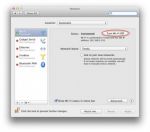
Step 1: You have to turn off Wi-Fi Airport connections on your Mac.
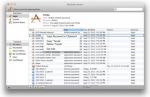
Step 2: Remove entries Wi-Fi Password form keychain.
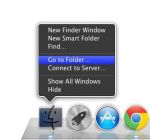
Step 3: After removing the keychain and turn off Wi-Fi then right click on “Finder” icon and select “Go to Folder” and just type this path: /Library/Preferences/SystemConfiguration/
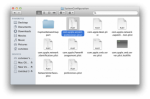
Step 4: Once you open SystemConfiguration folder then remove the “com.apple.airport.preferences.plist” file.
After remove selected file then create a new Wi-Fi AirPort configuration form network setting and re-establishing a connection.
Now this guide can prevent autoconnect problem from occurring with this guide.
-- Edited by admin on Sunday 11th of September 2011 05:38:43 PM